

The landscape of professional video conferencing is undergoing a massive shift toward frictionless accessibility. For years, professionals, remote teams, and casual users have navigated a highly fragmented ecosystem of applications just to attend a brief virtual meeting. If you were a dedicated Apple enthusiast holding a premium iOS device, jumping onto a corporate video call often meant pausing your workflow to download yet another piece of software. In an era where agility determines productivity, this software-gatekeeping dynamic has been a persistent point of irritation.
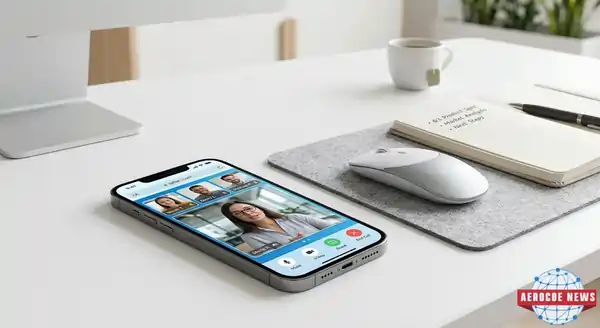
Breaking down these ecosystem silos, Google has officially rolled out a major quality-of-life update that redefines how iOS users interact with its virtual meeting ecosystem. iPhone and iPad owners can finally join Google Meet calls natively through their mobile web browser, completely bypassing the traditional requirement to install dedicated applications from the App Store. Whether you use a high-end flagship or an older model, this update transforms your Smart Phone into a more versatile communication hub, removing the friction that once bogged down quick corporate huddles.
Breaking the App Store Dependency: How the Update Works
Prior to this major architectural overhaul, clicking a Google Meet invitation link on an iOS device forced a strict digital fork in the road. If you did not have the official Google Meet app or the native Gmail client installed on your system, you were structurally blocked from participating in the session. This dynamic added a tedious hurdle for independent contractors, clients, and partners who did not rely on Google’s product suite for their daily digital operations.
According to an official announcement published on Google’s Workspace Updates framework, the system now features native support for Apple’s built-in Safari browser engine. The underlying software routing is engineered to be entirely automated and invisible to the end-user. If an iOS user clicks on an incoming meeting link and the operating system detects that neither Gmail nor the standalone Meet app is locally installed on the flash memory, the system dynamically reroutes the incoming data stream. The user is instantly transitioned into a specialized Safari web view that initializes the high-definition video and audio streaming protocols seamlessly.
No Google Account Required: Redefining Guest Accessibility
Aside from eliminating the download requirement, this update introduces a highly practical shift in identity verification for mobile web participants. In the past, desktop browser users enjoyed the privilege of joining public enterprise video calls as unauthorized guests, but mobile users were rigidly locked behind a strict authentication process.
Google has extended this frictionless desktop philosophy directly to the mobile browser ecosystem. When an invitee launches a link inside Safari on their premium Smart Phone, they are no longer met with a mandatory login screen demanding a corporate or personal Google account.
- The Identity Bypass: While a prominent login button remains available for those wishing to sync their corporate profiles, external guests can completely skip this step.
- The Guest Pathway: A clean text input field appears, prompting the user to simply type in their preferred display name.
- The Handshake Protocol: Within seconds, the participant can hit the submission key to send a temporary knock request to the meeting host. This streamlined guest access loop reduces joining times to a fraction of what they used to be, eliminating corporate onboarding roadblocks during urgent syncs.

Playing Catch-Up: Why This Feature Arrived Years After FaceTime’s Expansion
While the global tech community has welcomed this update with open arms, technology industry analysts are raising an obvious question: why did it take so long to bridge this mobile cross-platform divide? The concept of platform-agnostic web links for video conferencing is far from a novelty in the current consumer communications market.
Looking back at software history, Apple took a surprisingly inclusive path with the debut of iOS 15 in late 2021. The Cupertino-based tech giant shocked the industry by allowing its user base to generate public FaceTime web links. This allowed non-Apple users operating Windows laptops or Android hardware to click a link and hop straight into an encrypted FaceTime call via a standard web browser. The move was met with praise across community forums like Reddit, where users celebrated the ability to bring cross-platform friends and remote family members into their calling loops without forcing them into a specific hardware ecosystem. Given Google’s history of prioritizing web-first solutions across its cloud applications, its delayed rollout of a reciprocal feature for mobile Safari remains an interesting paradox in product planning.
Step-by-Step Guide: Joining a Meet Call via Safari
To take advantage of this browser-based calling architecture on your mobile device, you do not need to dive into complex system configurations or developer settings. The platform does the heavy lifting for you.
The Simple Joining Protocol
- Locate and Tap the Link: Click on the standard Google Meet invitation URL (
meet.google.com/abc-defg-hjk) sent to your message thread or email box. - Define Your Identity: If the local system lacks a native Google app, Safari will load the landing page automatically. Enter your preferred display name in the provided text field, or choose to log in with your personal credentials.
- Grant Peripheral Permissions: The mobile operating system will prompt a secure hardware alert box. Grant Safari access to utilize your front-facing camera array and your system microphone.
- Initiate the Call Entry: Tap the prominent, color-coded “Ask to join” button. Once the meeting organizer confirms your entrance request, you are instantly connected to the active video matrix.
Global Rollout Details and System Compatibility
According to Google’s engineering updates, the deployment of this native Safari integration follows an extended release schedule. The feature officially commenced its rollout phase via both Rapid Release and Scheduled Release domains on June 23, 2026. Because of the vast volume of global user accounts, it can take up to 15 days for the server-side feature flag to propagate and become globally active for every individual device.
The system architecture is engineered to be broadly compatible across Apple’s mobile ecosystem. It operates seamlessly on any modern iPhone running contemporary versions of iOS and scales beautifully to tablet form factors running iPadOS. Furthermore, early developer assessments indicate that the web assembly rendering mechanics used by Google are not strictly bound to Safari. They also function efficiently across alternative third-party iOS web browsers like Google Chrome, Microsoft Edge, and Mozilla Firefox—all of which rely on Apple’s core WebKit rendering foundation under current App Store guidelines.
Conclusion
Google’s decision to integrate direct browser access for Google Meet on iOS represents a massive win for user experience. By removing mandatory app downloads and profile logins, Google has made video calls truly accessible for everyone. It shows that in today’s fast-moving business world, making software easy to use matters just as much as adding complex new features.
For professionals, remote teams, and casual users, this update ensures that hopping on a quick call from an iPhone is now as simple as clicking a link and typing your name. It sets a fantastic example of cross-platform cooperation that will undoubtedly make daily digital communication smoother for everyone involved.
Have you had a chance to try out the new app-free Google Meet calling feature on your iPhone yet? Do you prefer joining virtual meetings directly through a web browser, or do you still prefer the deep feature sets of a dedicated application? Let us know your thoughts and your daily experiences in the comment section below! Don’t forget to share this article with your colleagues and friends who live on their smartphones.
Frequently Asked Questions (FAQs)
Q1: Do I need a paid Google Workspace subscription to use Google Meet in Safari? No, this feature is available to everyone, including standard personal Google accounts and completely unauthenticated guest users who enter via a display name.
Q2: Will I lose video or audio quality if I join a Google Meet call through Safari instead of the app? No, the web version utilizes advanced web streaming protocols that match the clear video and audio quality of the native mobile app, provided you have a stable internet connection.
Q3: Can I host or create a new Google Meet call directly from Safari on an iPhone? Currently, the mobile web interface is optimized primarily for joining existing calls as a participant. To host, manage, or schedule a new event on mobile, using the official Google Meet app remains the recommended method.
Q4: What should I do if Safari blocks my camera or microphone during a Google Meet call? Simply navigate to your iPhone’s primary Settings app, scroll down to locate Safari, select the Permissions submenu for Camera and Microphone, and ensure they are configured to “Allow” or “Ask.”
Q5: Does this update apply to other non-Google communication apps like Zoom or Microsoft Teams? This specific update applies solely to Google Meet. However, it reflects a broader technology industry trend toward expanding browser-based access across all major video conferencing ecosystems.